
Setting up payouts with Stripe
Navigate to payment settings
Go to bounty.new/settings/payments and click the “Connect with Stripe” button.
Select your country
A popup will appear asking where you’re based. Select your country so Stripe can provide the proper setup details.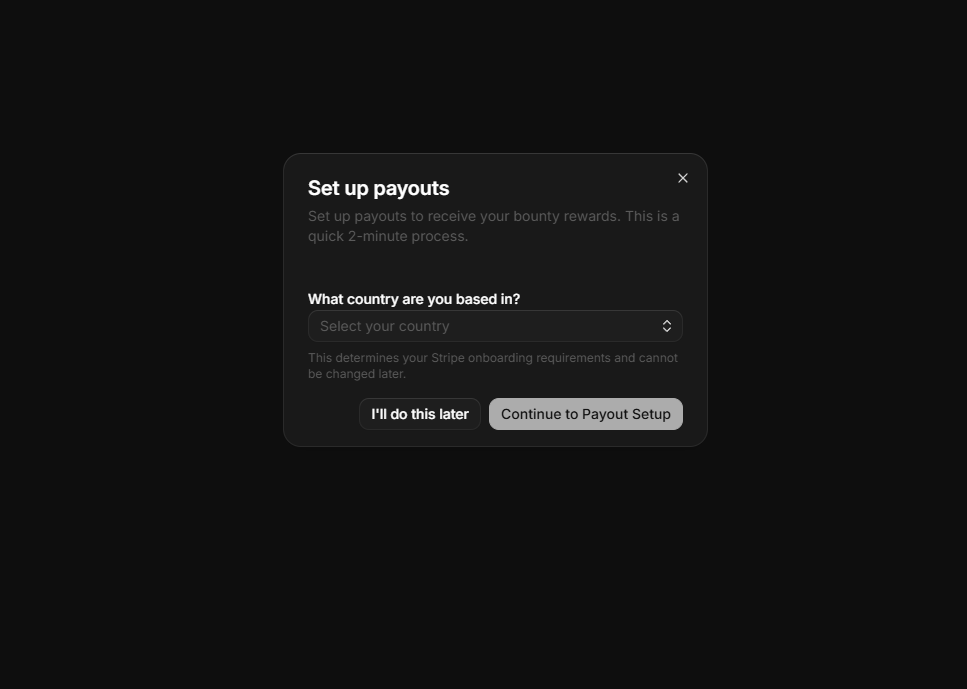
Sign into Stripe Express
Enter a new or existing email address to create or access your Stripe Express account.
Choose business type
Stripe will ask about your business. Most people should choose “Individual” unless you’re setting this up for a registered business.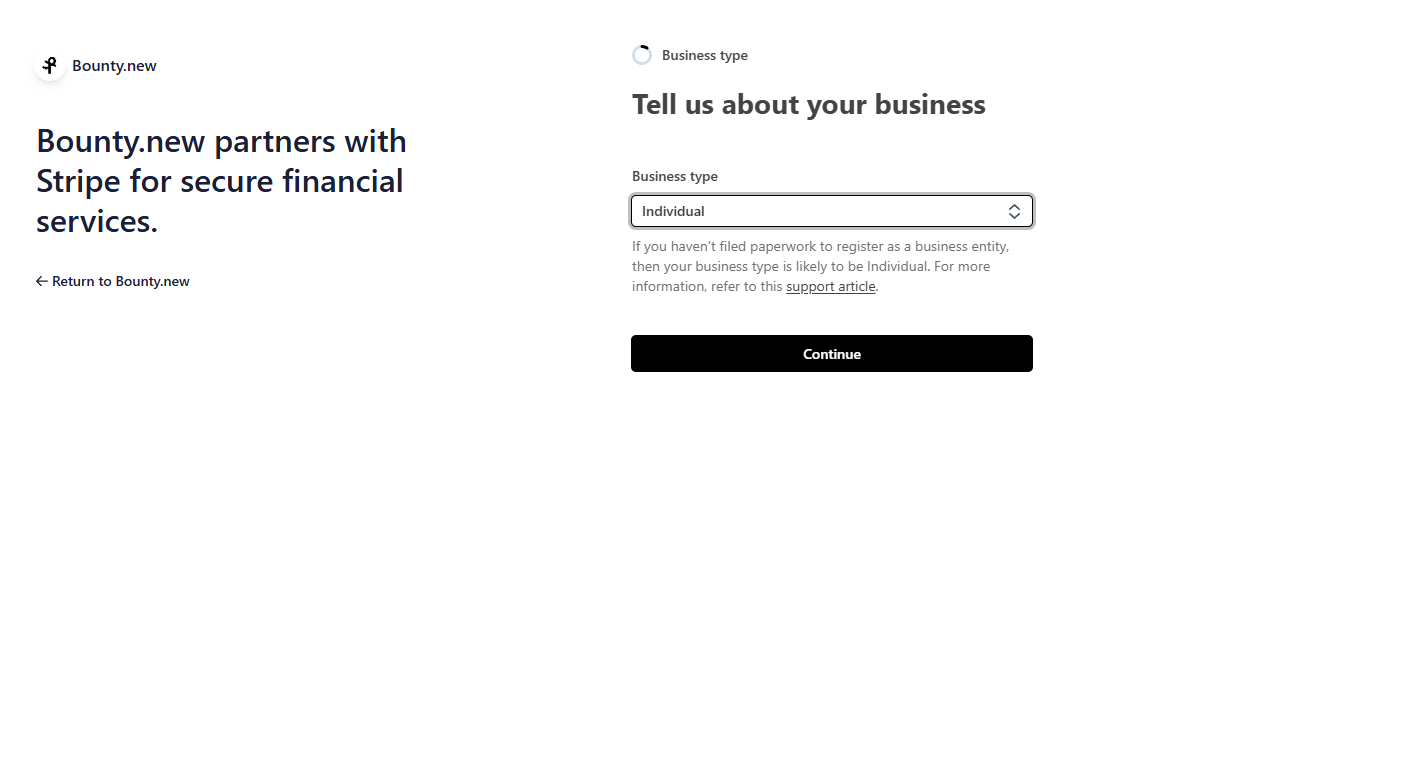
Describe your business
When asked about your industry and products:
- Industry: Select “Software”
- Products/Services: Enter “Solving bounties on bounty.new” (instead of providing a website)
How payouts work
Instant release
When a creator approves your solution:- Immediate release - Funds are released from escrow instantly
- Automatic transfer - Money goes directly to your verified payout method
- No waiting - Get paid immediately, no holding periods
Payout timeline
ACH bank transfer
Free transfer, arrives in 1-2 business days. No fees.
Managing your earnings
View payout history
Track all your earnings:- Go to bounty.new/[slug]/settings/payments
- View transaction history
- See pending and completed payouts
- Download statements for taxes
Tax information
For US-based solvers earning over $600/year:- You’ll receive a 1099 form
- Report earnings as self-employment income
- Track expenses related to bounty work
Troubleshooting
Payout not received
Payout not received
- Check your payout method is verified
- ACH bank transfers take 1-2 business days
- Verify bank account details are correct
- Contact grim@bounty.new for help
Verification issues
Verification issues
- Ensure all information matches your ID exactly
- Use a clear photo of your ID
- Check that your address is current
- Contact support if verification fails
Wrong payout method
Wrong payout method
- Update your payout method in settings
- New method applies to future payouts
- Previous payouts can’t be redirected
Security
Your financial information is protected:- Encrypted storage - All payment data is encrypted
- PCI compliance - We follow industry security standards
- Secure verification - Identity checks prevent fraud
- No sharing - We never share your financial information
Need help?
Contact support
Questions about payouts? Our team is here to help.