> ## Documentation Index
> Fetch the complete documentation index at: https://docs.bounty.new/llms.txt
> Use this file to discover all available pages before exploring further.
# Getting paid
> Get paid instantly when your bounty solutions are approved. Here's how to set up payouts and manage your earnings.
## Setting up payouts with Stripe
Go to bounty.new/settings/payments and click the "Connect with Stripe" button.
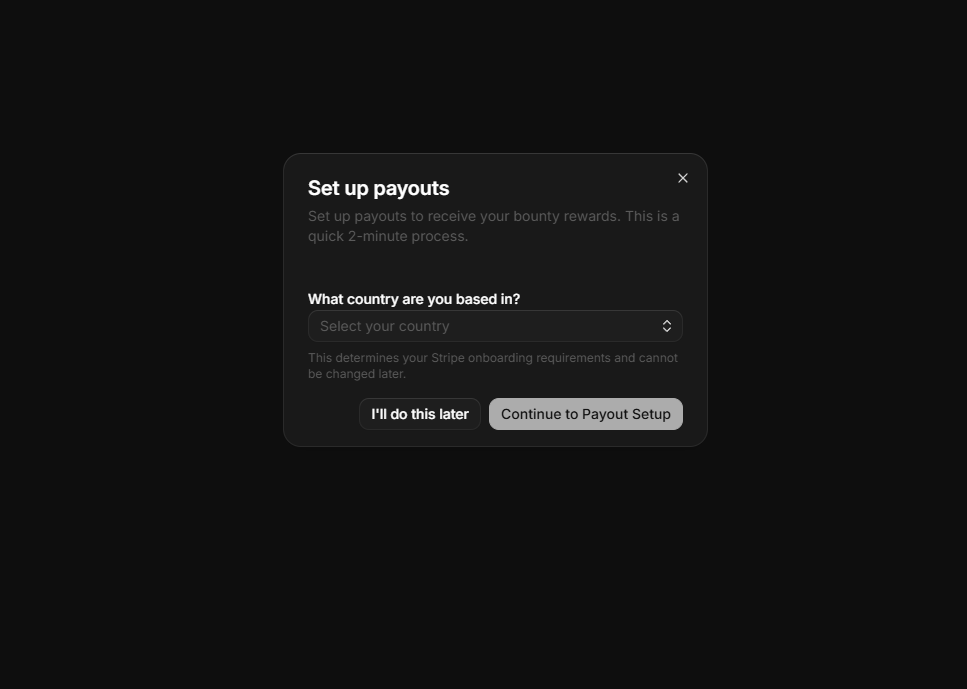
 A popup will appear asking where you're based. Select your country so Stripe can provide the proper setup details.
 Enter a new or existing email address to create or access your Stripe Express account.
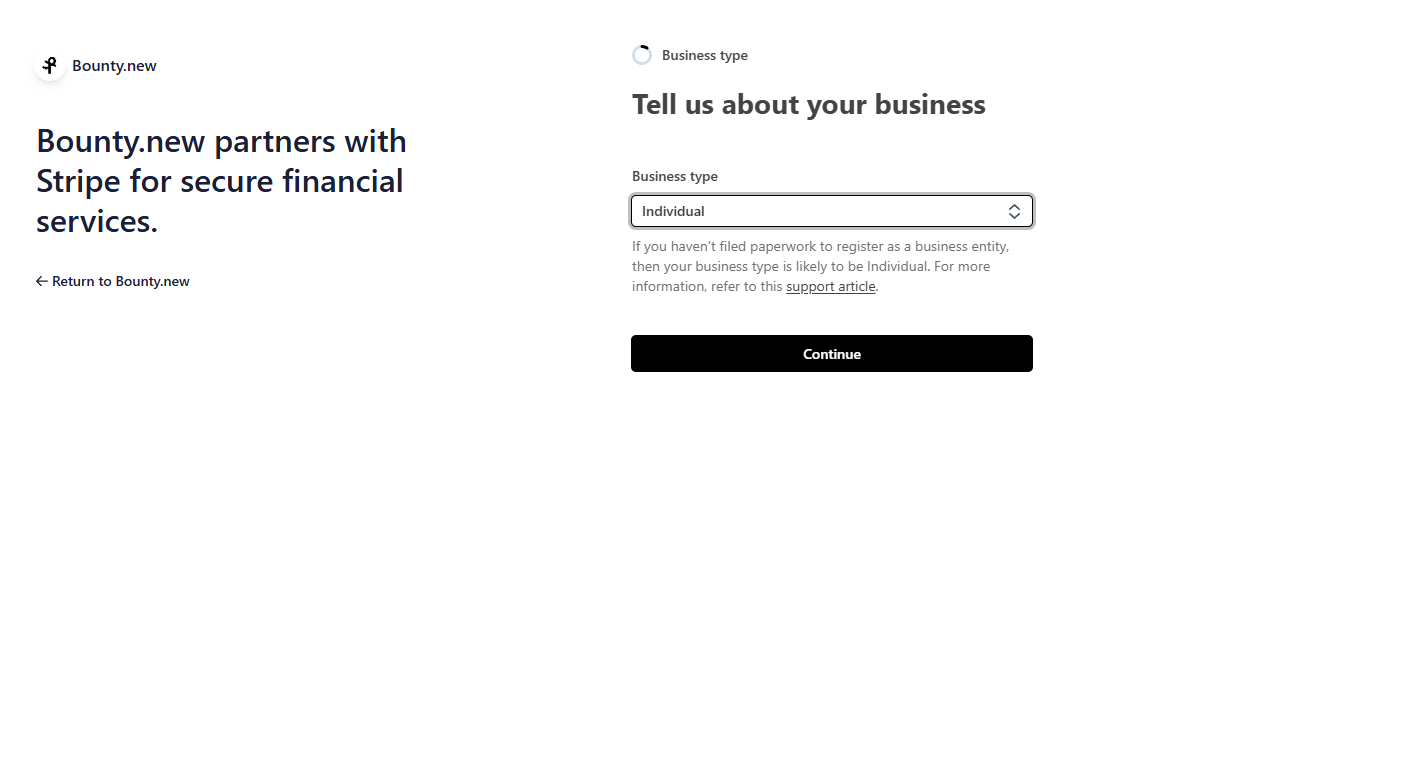
Stripe will ask about your business. Most people should choose "Individual" unless you're setting this up for a registered business.
Enter a new or existing email address to create or access your Stripe Express account.
Stripe will ask about your business. Most people should choose "Individual" unless you're setting this up for a registered business.
 Complete the personal information form as prompted by Stripe.
When asked about your industry and products:
* **Industry**: Select "Software"
* **Products/Services**: Enter "Solving bounties on bounty.new" (instead of providing a website)
This tells Stripe exactly what you're doing and ensures smooth approval.
Finish any remaining verification steps. Once approved, you'll receive instant payouts when bounties are approved.
## How payouts work
### Instant release
When a creator approves your solution:
1. Immediate release - Funds are released from escrow instantly
2. Automatic transfer - Money goes directly to your verified payout method
3. No waiting - Get paid immediately, no holding periods
### Payout timeline
Free transfer, arrives in 1-2 business days. No fees.
## Managing your earnings
### View payout history
Track all your earnings:
1. Go to bounty.new/\[slug]/settings/payments
2. View transaction history
3. See pending and completed payouts
4. Download statements for taxes
### Tax information
You're responsible for reporting bounty earnings on your taxes. Keep records of all payouts for tax filing.
For US-based solvers earning over \$600/year:
* You'll receive a 1099 form
* Report earnings as self-employment income
* Track expenses related to bounty work
## Troubleshooting
* Check your payout method is verified
* ACH bank transfers take 1-2 business days
* Verify bank account details are correct
* Contact [grim@bounty.new](mailto:grim@bounty.new) for help
* Ensure all information matches your ID exactly
* Use a clear photo of your ID
* Check that your address is current
* Contact support if verification fails
* Update your payout method in settings
* New method applies to future payouts
* Previous payouts can't be redirected
## Security
Your financial information is protected:
* Encrypted storage - All payment data is encrypted
* PCI compliance - We follow industry security standards
* Secure verification - Identity checks prevent fraud
* No sharing - We never share your financial information
## Need help?
Questions about payouts? Our team is here to help.
Complete the personal information form as prompted by Stripe.
When asked about your industry and products:
* **Industry**: Select "Software"
* **Products/Services**: Enter "Solving bounties on bounty.new" (instead of providing a website)
This tells Stripe exactly what you're doing and ensures smooth approval.
Finish any remaining verification steps. Once approved, you'll receive instant payouts when bounties are approved.
## How payouts work
### Instant release
When a creator approves your solution:
1. Immediate release - Funds are released from escrow instantly
2. Automatic transfer - Money goes directly to your verified payout method
3. No waiting - Get paid immediately, no holding periods
### Payout timeline
Free transfer, arrives in 1-2 business days. No fees.
## Managing your earnings
### View payout history
Track all your earnings:
1. Go to bounty.new/\[slug]/settings/payments
2. View transaction history
3. See pending and completed payouts
4. Download statements for taxes
### Tax information
You're responsible for reporting bounty earnings on your taxes. Keep records of all payouts for tax filing.
For US-based solvers earning over \$600/year:
* You'll receive a 1099 form
* Report earnings as self-employment income
* Track expenses related to bounty work
## Troubleshooting
* Check your payout method is verified
* ACH bank transfers take 1-2 business days
* Verify bank account details are correct
* Contact [grim@bounty.new](mailto:grim@bounty.new) for help
* Ensure all information matches your ID exactly
* Use a clear photo of your ID
* Check that your address is current
* Contact support if verification fails
* Update your payout method in settings
* New method applies to future payouts
* Previous payouts can't be redirected
## Security
Your financial information is protected:
* Encrypted storage - All payment data is encrypted
* PCI compliance - We follow industry security standards
* Secure verification - Identity checks prevent fraud
* No sharing - We never share your financial information
## Need help?
Questions about payouts? Our team is here to help.